Turn objectives into impact
Keep everyone in sync. Make progress happen.
Bring your organisation’s OKRs together with software built for Microsoft 365. Okra reminds owners to update progress and scores goals, never people.
- Align teams
- Track progress
- Move forward
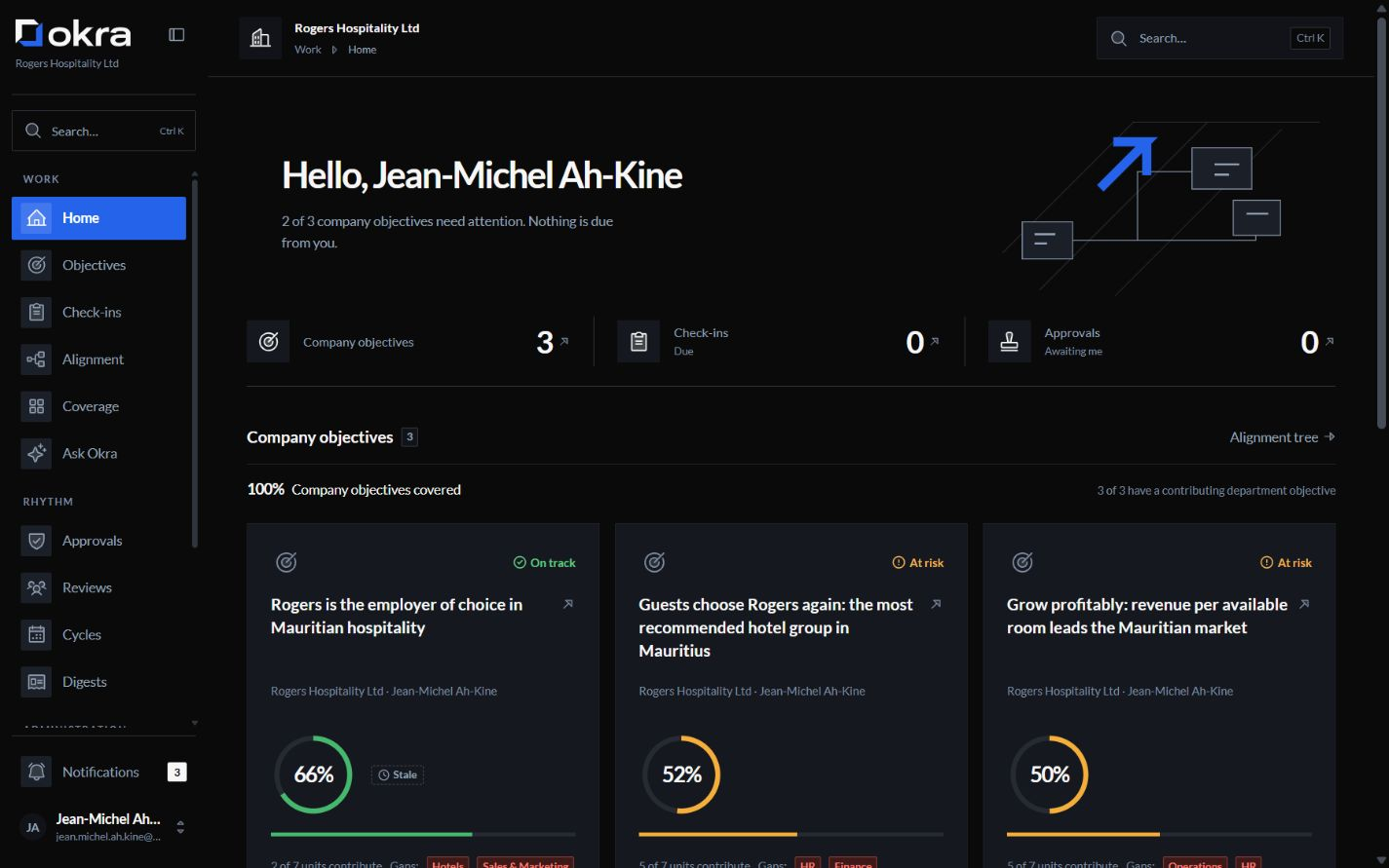
OKRs, and only OKRs. Built for organisations that run on Microsoft 365.
Built for Microsoft 365Product
Five ways to move your goals forward
Explore the five parts of Okra that connect your objectives, updates and decisions. The tour advances automatically. Pause whenever you need.
A shared direction, from company to team
- Link team objectives to the company’s goals without copying or retyping.
- See which objectives are progressing and where support is needed.
Small updates. A clear weekly picture.
- Owners update their own progress, without adding a meeting.
- A weekly digest brings what needs attention into focus.
Better key results. Your decision.
- Turn a goal into key results worth measuring, with help from the coach.
- Accept a suggestion or leave it. Nothing is saved without your confirmation.
Keep decisions connected to goals
- Start with an agenda that highlights progress and decisions needed.
- Ground each meeting in the current state of your objectives.
Answers grounded in the objectives you can see
- Ask an assistant that works within your permissions and sees only what you can see.
- Follow every answer back to the records behind it.
From scattered updates to shared progress

Without Okra
With Okra
Goals in a slide deck. Updates in a spreadsheet.
Every objective in one tree, linked to the company’s goals
Managers chasing the latest numbers
Owner reminders that take the chasing off managers
Review decks rebuilt the night before
Reviews grounded in where things stand
Out-of-date objectives hidden in plain sight
Key results needing an update, clear at a glance

Measure goals. Never people.
Okra keeps OKRs separate from appraisals. It is not an HR suite and has nowhere to store a rating, ranking or pay, so teams can set ambitious goals.
- Can leaders see who is behind?
- Leaders can see which goals are behind and who owns them. The score belongs to the goal, never the person.
- Does the assistant judge people?
- It is built to refuse to rate or rank people, or to write performance-review content.
Give your HR team a clear view of who can see personal objectives and what Okra holds about each person.Explore the answers for HR
Your OKRs. Your Microsoft 365 environment
Focused on OKRs, and only OKRs. Built for organisations that run on Microsoft 365.
- Ready in your browser
- Use everything Okra offers on a computer or phone, in English and French, with nothing to install.
- Sign-in and directory
- Sign in with a Microsoft work account. People, managers and departments come from your directory. Both are enabled for your organisation during onboarding.
- A Teams app
- A Microsoft Teams app has been built and is enabled for your organisation during onboarding.
See how sign-in, your directory and Teams come together:Explore Okra with Microsoft 365
Security
Clear answers for your IT team
Each organisation's data is kept apart. This is tested before every release.
The AI sees only what the person asking can see. It can be switched off for the whole organisation or for some roles.
Every change is recorded, and the record cannot be edited.
An administrator can export your organisation's data whenever they want.